
How to use Grid Layouts & Nested Grids
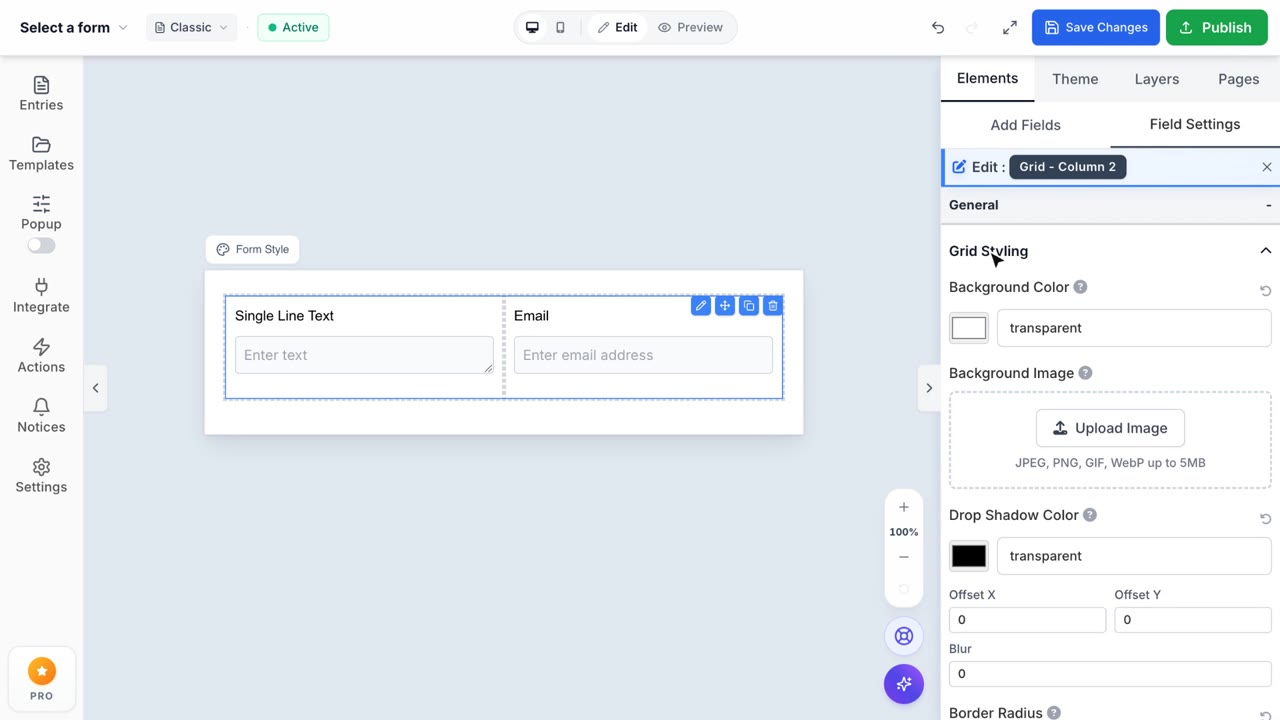
Grid Layouts & Nested Grids
Build powerful, multi-level form columns instantly using intuitive constraints.
1. Advanced 12-Column Snapping & Inline Resize
Unlike clunky sidebar sliders, Formpify features an inline drag-to-resize architectural system. Simply grab the edge handle of any column directly on the visual canvas. As you drag horizontally, columns instantly snap to a perfect 12-column grid matrix, enforcing professional proportions effortlessly.
2. Infinite Nested Capabilities
For complex layouts, simply drop a Grid Section directly inside an existing grid column. Formpify's rendering engine executes deep DOM-tree nesting seamlessly—perfect for consolidating sub-sections like Job Role, Portfolio Links, GitHub, and LinkedIn inside a unified parent column. The builder intelligently auto-applies container breakpoints so deeply nested elements never overflow.
3. Granular Layout Scoping & Spacing
Forget uniform styling. Our Grid configuration lets you isolate CSS properties. Use the settings drawer to inject independent Paddings, Border Radiuses, and Background Colors to drastically separate content. Apply styles globally (Entire Background) or specifically isolate aesthetics exclusively to single "Target Columns" logic. Customize internal column gaps via numeric inputs to match brand spacing guidelines exactly.
4. Dynamic Repeater Grids (Pro Mode)
Need to capture multiple records inside a multi-column format (like listing former employers)? Enable Repeater Mode. Formpify automatically shifts the entire grid into an array loop, generates native "Add Row" functionality, and manages nested input payloads gracefully so respondents can duplicate complex block variants dynamically on the live form.