
How to Build an Interactive Cost Estimator & Price Calculator on Shopify (Zero Code Masterclass)
Transform passive browsers into high-ticket clients by displaying live calculations for custom services, package add-ons, and instant quote estimations directly on your Shopify storefront.
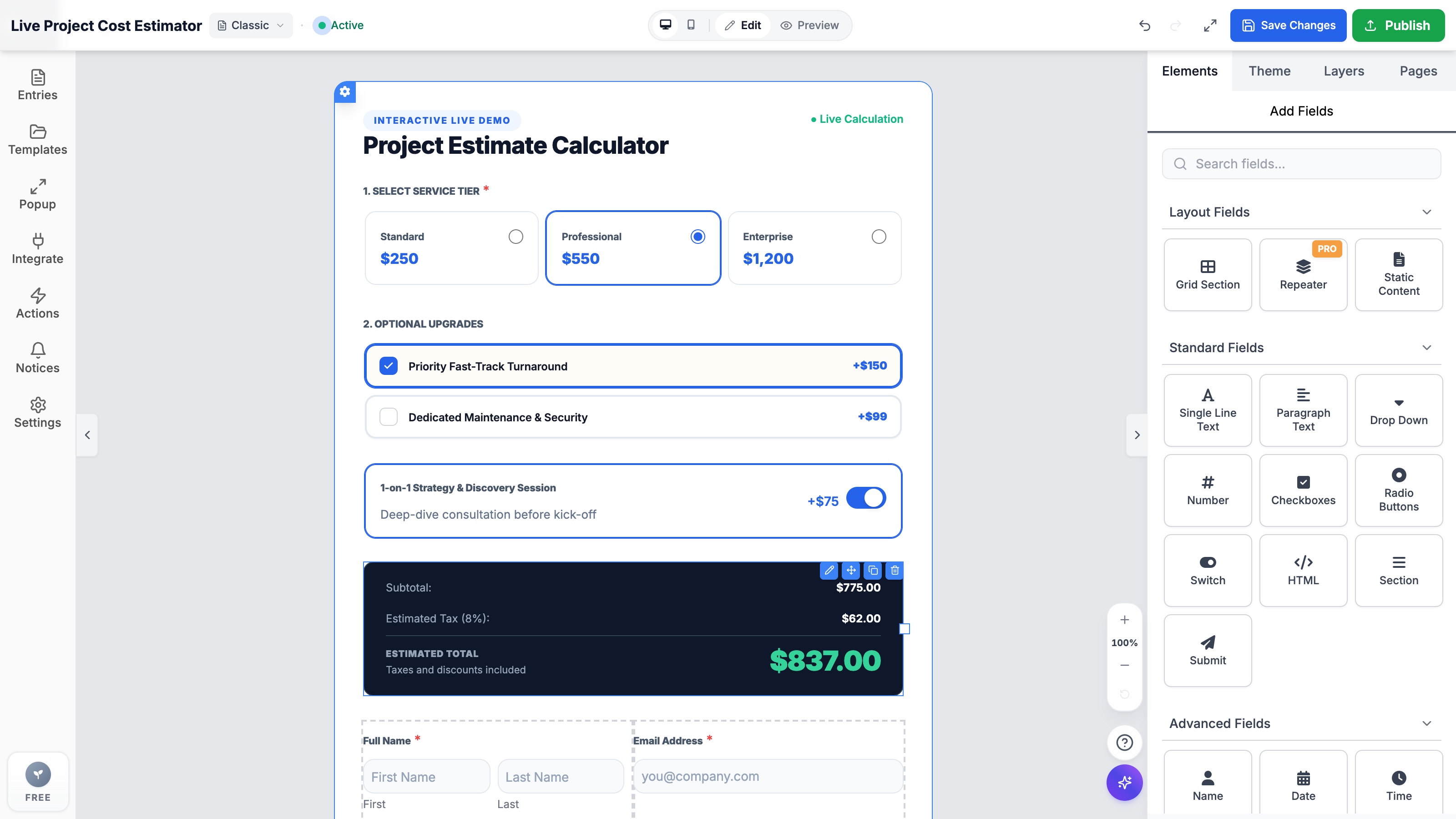
- Interactive cost estimators increase form completion rates by over 240% compared to static 'Contact Us for Pricing' forms.
- Formpify lets you assign dynamic price values to radio package cards, checkboxes, number sliders, and switches without writing code.
- The built-in calculation engine computes subtotals, configurable sales taxes, and bundle discounts in real time on the storefront in sub-50ms.
- Submitted quotes automatically format into branded itemized PDF receipts and dispatch seamlessly to Klaviyo flows, Google Sheets, and Slack.
Table of Contents
1. Why Traditional Shopify Quote Forms Repel High-Ticket Buyers
In modern e-commerce, forcing high-ticket clients, bespoke artisans, and B2B corporate buyers to fill out static "Contact Us for Pricing" forms is a silent conversion killer. When prospective clients cannot estimate project budgets or preview customization fees immediately, over 64% abandon the session and navigate to a competitor offering transparent pricing.
Whether you operate a direct-to-consumer brand with made-to-measure products, a custom apparel workshop, or an enterprise trade service, offering intuitive, real-time price estimation builds immediate consumer trust and establishes an insurmountable competitive moat over generic storefronts.
⚠️ The Silent Revenue Drain
Traditional static forms force shoppers into an asynchronous waiting game of 24–48 hours just to discover whether their project fits within budget. Live estimators qualify buyers instantly at peak intent.
2. Inside the Formpify Live Pricing Calculation Engine
Unlike complex formula-based spreadsheet plugins that require writing mathematical syntax, Formpify provides a visual calculation engine built natively into modern Shopify Online Store 2.0 themes:
| Field Type | Pricing Mechanism | Ideal Real-World Use Case |
|---|---|---|
| Card-Style Radio | Base Tier Selection (Mutually Exclusive) | Standard ($250) vs Professional ($550) vs Enterprise ($1,200) |
| Dynamic Checkbox Cards | Additive Modifiers (Multiple Selection) | Priority Fast-Track (+$150), Security Maintenance (+$99) |
| Switch Toggles | Binary On/Off Add-on | 1-on-1 Strategy & Discovery Session (+$75) |
| Number / Quantity Slider | Multiplier Units (Quantity × Unit Rate) | Square Footage, Headcount, or Custom Unit Dimensions |
3. Step-by-Step: Creating Your First Price Calculator in 5 Minutes
Follow these practical steps inside the Formpify visual builder to design and launch your dynamic estimator:
- Open Formpify in Shopify Admin: Launch Formpify from your Shopify app list and click Create Form.
- Select an Estimator Template: In the template browser, navigate to the Estimator category and choose Project Cost Calculator (Estimator Style 3).
- Customize Service Tiers: Click on the Radio Cards block. In the right-hand sidebar, assign your base tier names, descriptions, and dollar amounts (e.g. $250, $550, $1,200).
- Add Optional Upgrades: Configure Checkboxes and Switch fields for optional services. Set their individual modifier prices (e.g. +$150, +$75). The live canvas recalculates totals in real time.
- Configure Tax & Currency Settings: Click on the Pricing summary container. Select your local currency symbol (USD $, EUR €, GBP £, etc.) and specify your regional sales tax percentage (e.g. 8%).
- Choose Visual Container Style: Toggle between the Clean Minimal style (matches light storefront themes) and the high-contrast Dark Slate Pro container for high-ticket enterprise branding.
- Embed via Theme App Block: Open the Shopify Online Store 2.0 Theme Editor > navigate to your service or landing page > add the Formpify App Block > select your estimator form ID and hit Save.
⚡ Zero Performance Lag Guarantee
Unlike heavy spreadsheet iframes that drag down Core Web Vitals, Formpify's pricing engine executes entirely in lightweight vanilla JavaScript (<15KB gzip), calculating sub-totals, taxes, and final estimates in under 50 milliseconds directly on the shopper's device.
4. 3 High-Converting Real-World Estimator Blueprints
- 🛠️ Bespoke Manufacturing & Custom Fabrication: Let buyers select raw material grades (Base Price), input custom dimensions (Width × Length multiplier), and check off polishing, chamfering, or express crating upgrades. The customer previews their exact quote before entering shipping details.
- 👕 Custom Apparel & Corporate Screen Printing: Allow clients to select garment types (T-Shirt vs Hoodie), specify print locations (Front Chest, Back, Left Sleeve add-ons), and add embroidery digitizing fees. Submissions automatically arrive with artwork file attachments.
- 🏡 Professional Trade & Installation Services: Roofing, landscaping, and HVAC contractors capture property square footage, select service tiers, and offer emergency weekend booking add-ons with automated lead dispatch to sales staff via Slack and Klaviyo.
5. Automated Lead Sync, Itemized PDF Quotes & CRM Routing
An estimator is only as valuable as its follow-up workflow. Formpify bridges the gap between storefront quotation and CRM execution:
- Instant Branded PDF Generation: When a quote is submitted, Formpify automatically formats an itemized PDF quotation complete with your store logo, customer details, selected upgrades, and tax breakdown.
- Shopify Customer Profile Auto-Tagging: Automatically register new customer records in your Shopify Admin with tags like
estimator-leadandhigh-ticket-quote. - Real-Time Team Dispatch: Stream every submission into a dedicated Slack channel or append rows into Google Sheets for instant sales outreach.
Ready to build a live price calculator on Shopify?
Design custom package cards, dynamic add-ons, configurable sales taxes, and instant downloadable PDF quotes with zero code directly on your storefront.
Explore More Shopify Form Guides
 Tutorials
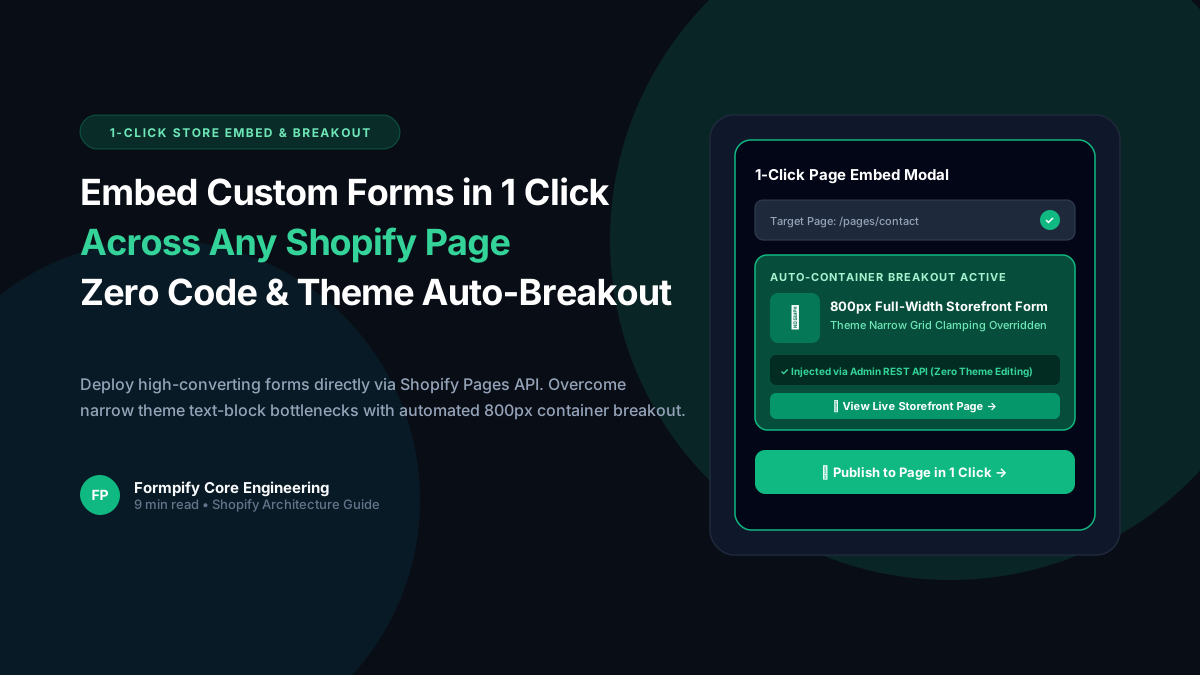
How to Embed Custom Forms on Any Shopify Page in 1 Click (Zero Liquid Code, Theme Auto-Breakout & Full-Width 800px Support)
Past Shopify form apps force merchants to manually copy liquid snippets, edit theme files, or suffer from cramped 360px mobile widths on desktop screens. Discover how Formpify v2.3.1 introduces seamless 1-click Store Page auto-embedding via Shopify Admin REST API and intelligent Theme Container Breakout for perfect 800px full-width forms.
 Tutorials
How to Build Advanced Dynamic Pricing Calculators on Shopify with Safe AST Math Formulas & Conditional Logic
Selling dimension-based items like custom glass, canvas prints, blinds, flooring, or bespoke upholstery? Standard Shopify variant pricing cannot calculate length × width formulas or conditional volume discounts. Discover how Formpify's Safe AST Math Formula Engine evaluates complex algebraic equations in real time without eval() vulnerabilities, keeping Canvas and Storefront in 100% sync.
 Tutorials
How to Build an Interactive Product Recommendation & Skincare/Size Quiz in Shopify (Without Bloated $50/mo Quiz Apps)
Traditional Shopify quiz apps charge $50–$300/month while injecting heavy scripts that devastate storefront performance. Learn how Formpify native Quiz Engine enables merchants to build custom recommendation quizzes with zero speed penalty, smart conditional branching, and instant 1-click AJAX cart bundling.
Ready to supercharge your Shopify forms?
Join thousands of merchants creating custom forms, surveys, and live cost calculators.