
How to Build Advanced Custom Contact Forms on Shopify (The Complete Visual Drag-and-Drop Guide)
Say goodbye to rigid 3-field contact templates. Learn how to design high-converting custom Shopify forms with visual drag-and-drop, multi-column grids, inline styling, and automatic customer tagging.
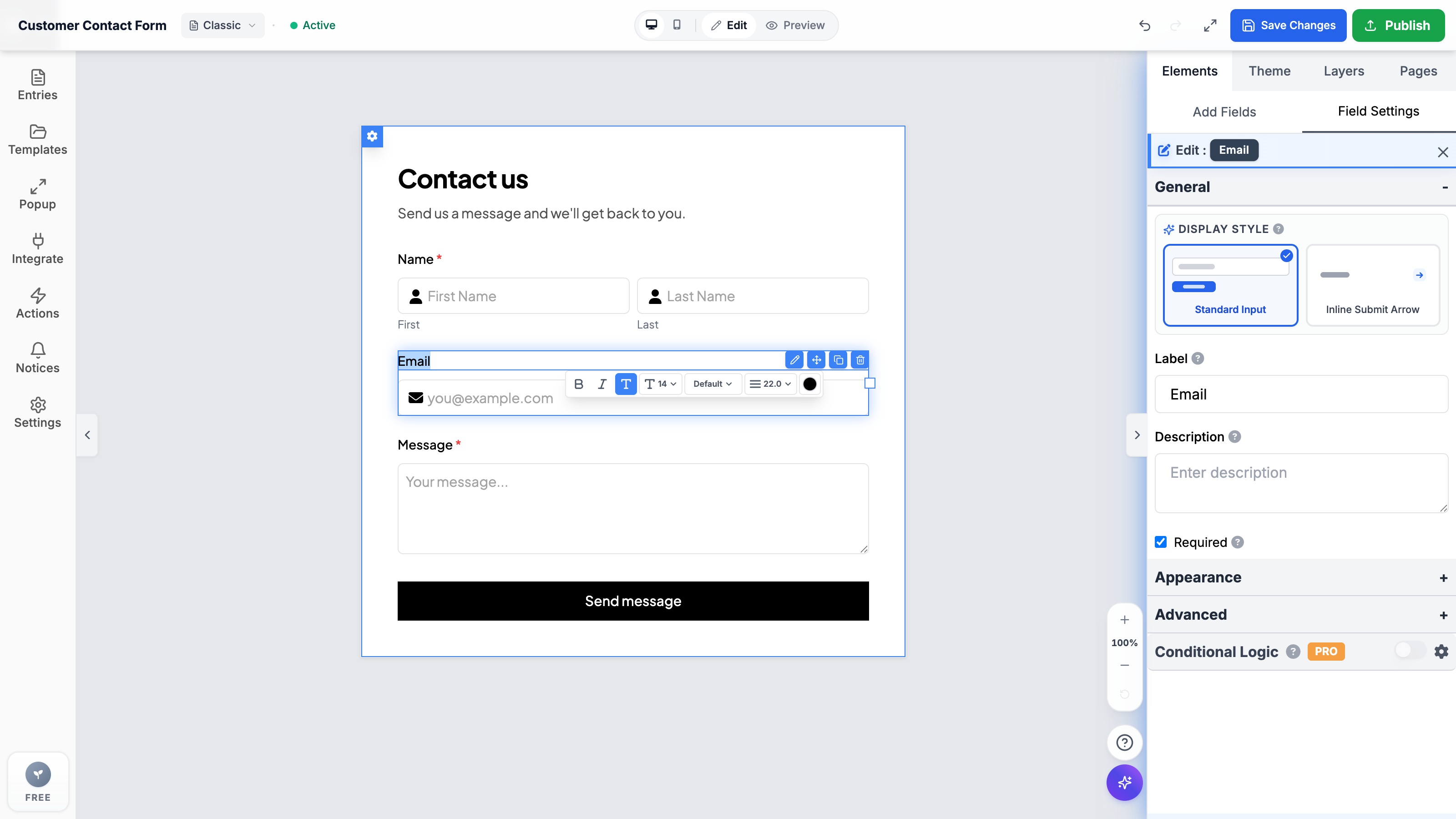
- Default Shopify Liquid contact forms are restricted to basic text and email fields, with zero multi-column layouts or responsive customization without code.
- Formpify brings a true WYSIWYG visual builder to Shopify, featuring intuitive drag-and-drop positioning, inline text editing, and pixel-level control.
- Support for 20+ specialized field types out-of-the-box, including International Phone with flag selectors, direct S3 file uploads, and card-style selection grids.
- Submissions integrate directly with Shopify Customer accounts, automatically creating customer records, assigning custom tags, and triggering email alerts.
Table of Contents
- →1. The Hidden Cost of Default Shopify Contact Forms
- →2. What is a True Visual Form Builder for Shopify?
- →3. Deep Dive: Formpify's Pro Builder Capabilities
- →4. Step-by-Step: Building an Advanced Contact Form in 5 Minutes
- →5. Native Shopify Integration: Customer Profiles & Auto-Tagging
- →6. 4 High-Converting Form Blueprints for Shopify Stores
1. The Hidden Cost of Default Shopify Contact Forms
If you have ever attempted to customize the native contact form provided by your Shopify theme (like Dawn, Sense, or Prestige), you know the frustration. Shopify's built-in {% form 'contact' %} Liquid tag is virtually frozen in time:
- No Multi-Column Layouts: Every single field stacks clumsily into a single vertical column, creating unnecessarily long, tedious pages.
- Zero Visual Editing: Modifying a field label, adding placeholder text, or adjusting spacing requires diving into raw Liquid code and CSS files.
- Missing Modern Field Types: Want an international phone input with country code flags? A multi-file upload button for warranty photos? An interactive rating scale? Default Shopify cannot do any of this without third-party scripts.
- Clunky Submission Handling: Native form submissions simply dispatch an unformatted notification to the store owner's inbox, with zero entry logging in your Shopify admin dashboard.
⚠️ The Cost of Inaction
When shoppers encounter generic, rigid forms, conversion drops dramatically. Prospective wholesale buyers, press contacts, and high-ticket clients judge your brand credibility by the polish of your inquiry flows.
2. What is a True Visual Form Builder for Shopify?
A true visual form builder eliminates the gap between what you design in your app dashboard and what renders live on your storefront. Unlike legacy form apps that force you to configure abstract form settings in endless sidebar menus, Formpify provides a genuine WYSIWYG (What-You-See-Is-What-You-Get) canvas:
- Direct Drag-and-Drop: Grab any field from the 20+ component library and drop it exactly where you want it to appear.
- Inline Text Editing: Click directly onto any label, placeholder, sub-description, or button text right on the canvas and type naturally—just like editing a Google Doc.
- Real-Time Layout Engine: Reorder rows, switch from single-column to 2-column or 3-column grids, and adjust field widths dynamically with instant live preview.
3. Deep Dive: Formpify's Pro Builder Capabilities
Formpify was architected specifically for modern Shopify Online Store 2.0 themes. Here is what makes the builder engine distinct:
✨ Pro Feature Matrix
4. Step-by-Step: Building an Advanced Contact Form in 5 Minutes
Follow these steps to replace your theme's default contact page with a high-converting Formpify builder form:
- Launch Formpify Builder: Open Formpify from your Shopify admin, click Create Form, and select the Blank Canvas or Advanced Contact template.
- Structure Your Layout: Drag in a 2-column Grid block. Drop the Full Name field into column 1 and the Email Address field into column 2.
- Add Rich Inputs: Drag in an International Phone input and a Dropdown / Reason for Contact select field below the grid.
- Enable File Attachment: Add a File Upload field with custom accepted formats (PNG, JPG, PDF) so customers can attach screenshots or order slips.
- Customize Brand Styling: Select your theme font, adjust input border radius (from sharp 4px to pill-shaped 28px), and match button hover states to your brand palette.
- Embed via Theme App Block: Open Shopify Theme Customizer > navigate to your Contact page > add the Formpify Form Block > select your form ID and hit Save.
5. Native Shopify Integration: Customer Profiles & Auto-Tagging
Standalone form builders keep your submission data trapped in external databases. Formpify bridges directly into the Shopify ecosystem:
- Auto-Create Customers: Submissions can automatically register new customer profiles in your Shopify Admin or update existing ones.
- Dynamic Customer Tagging: Apply tags like
wholesale-inquiry,vip-lead, orpressbased on form answers, instantly feeding your Klaviyo, Omnisend, or Shopify Flow automation segments. - Native Anti-Spam Protection: Protect your store from bot invasions with invisible Honeypot traps and Cloudflare Turnstile verification without frustrating human customers with image captchas.
6. 4 High-Converting Form Blueprints for Shopify Stores
You can deploy Formpify's visual builder across numerous business functions:
- 💼 B2B & Wholesale Registration: Collect company names, VAT/tax IDs, resale certificates, and expected order volumes with conditional verification steps.
- 🔧 Returns & Warranty Claims: Let shoppers enter their original order number, select reason for return, and attach product condition photos directly from their phone camera.
- 🎨 Custom Order & Engraving Requests: Capture precise customization text, font preferences, and reference design files for bespoke merchandise.
- 🤝 Influencer & Brand Ambassador Applications: Gather social media handles, follower statistics, and portfolio links in a sleek, branded portal.
Ready to build professional Shopify forms without code?
Design multi-column contact forms, file uploads, and smart logic flows with Formpify's visual drag-and-drop builder.
Explore More Shopify Form Guides
 Tutorials
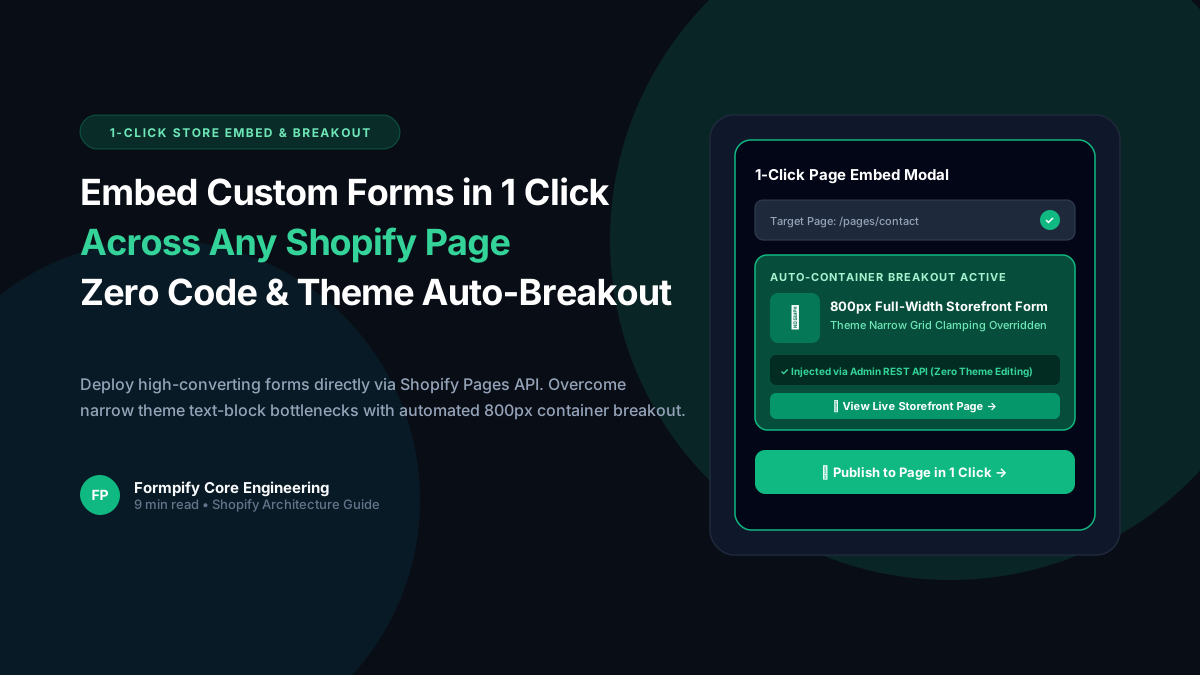
How to Embed Custom Forms on Any Shopify Page in 1 Click (Zero Liquid Code, Theme Auto-Breakout & Full-Width 800px Support)
Past Shopify form apps force merchants to manually copy liquid snippets, edit theme files, or suffer from cramped 360px mobile widths on desktop screens. Discover how Formpify v2.3.1 introduces seamless 1-click Store Page auto-embedding via Shopify Admin REST API and intelligent Theme Container Breakout for perfect 800px full-width forms.
 Tutorials
How to Build Advanced Dynamic Pricing Calculators on Shopify with Safe AST Math Formulas & Conditional Logic
Selling dimension-based items like custom glass, canvas prints, blinds, flooring, or bespoke upholstery? Standard Shopify variant pricing cannot calculate length × width formulas or conditional volume discounts. Discover how Formpify's Safe AST Math Formula Engine evaluates complex algebraic equations in real time without eval() vulnerabilities, keeping Canvas and Storefront in 100% sync.
 Tutorials
How to Build an Interactive Product Recommendation & Skincare/Size Quiz in Shopify (Without Bloated $50/mo Quiz Apps)
Traditional Shopify quiz apps charge $50–$300/month while injecting heavy scripts that devastate storefront performance. Learn how Formpify native Quiz Engine enables merchants to build custom recommendation quizzes with zero speed penalty, smart conditional branching, and instant 1-click AJAX cart bundling.
Ready to supercharge your Shopify forms?
Join thousands of merchants creating custom forms, surveys, and live cost calculators.